 |
FR-LCD-SERIES MONITOR INSTALLATION GUIDE FR-LCD |
STEP 5 |
STEP 7 |
|
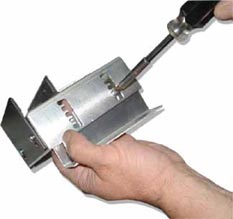
- Remove the (2) screws on each sides of the BOTTOM brackets. |
- Adjust the bracket to the depth of the BOTTOM of the monitor.. |
|
 |
 |
|
STEP 6 |
STEP 8 |
|
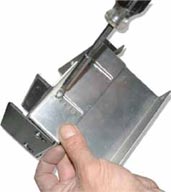
- Replace the small L brackets by the longest ones and fix them in place with the screws. |
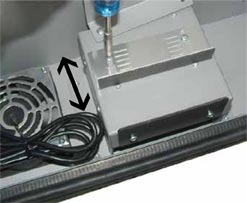
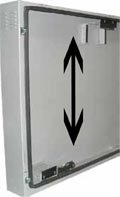
- Adjust the height of the top bracket. Use themonitor height to adjust the distance between the BOTTOM and the TOP brackets. |
|
 |
 |
3 |
MONITOR INSTALLATION GUIDE |
|||
FSMP-LCD ASSEMBLY GUIDE
|
|||
WALL MOUNT OPTION
|
|||
CEILING MOUNT OPTION
|
 |
 |
|