 |
FR-LCD-SERIES MONITOR INSTALLATION GUIDE FR-LCD |
STEP 1 |
STEP 3 |
|
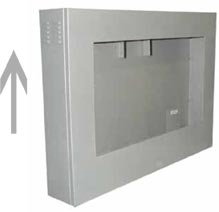
- Remove the (4) security screws on the TOP and sides of the door and slide it up to open it. |
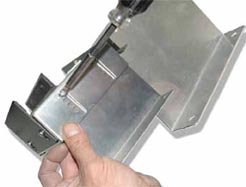
- If you need more height to ˜t the screen with the window (arrows) you can use the longest L brackets as shown. |
|
 |
 |
|
STEP 2 |
STEP 4 |
|
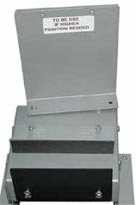
- Adjust the height of the BOTTOM brackets to align the BOTTOM of the screen area to the
arrows on each side of the enclosure. |
- Unscrew the L brackets already ˜xed on the BOTTOM brackets. |
|
|
 |
2 |
MONITOR INSTALLATION GUIDE |
|||
FSMP-LCD ASSEMBLY GUIDE
|
|||
WALL MOUNT OPTION
|
|||
CEILING MOUNT OPTION
|
 |
 |
|